All projectsPrototype · 02
CSDA Data Search Agent
A personal prototype of a chat agent that turns plain-English requests into searches of NASA’s commercial smallsat catalogue, resolving vague wording through a catalogue graph and keeping a map panel in sync with every tool call.
- Jul 2026
- Sole developer (personal project)
- 1
- AI agent
- Python · FastAPI · Chainlit · LangGraph · Pydantic AI · Neo4j · pgvector · STAC
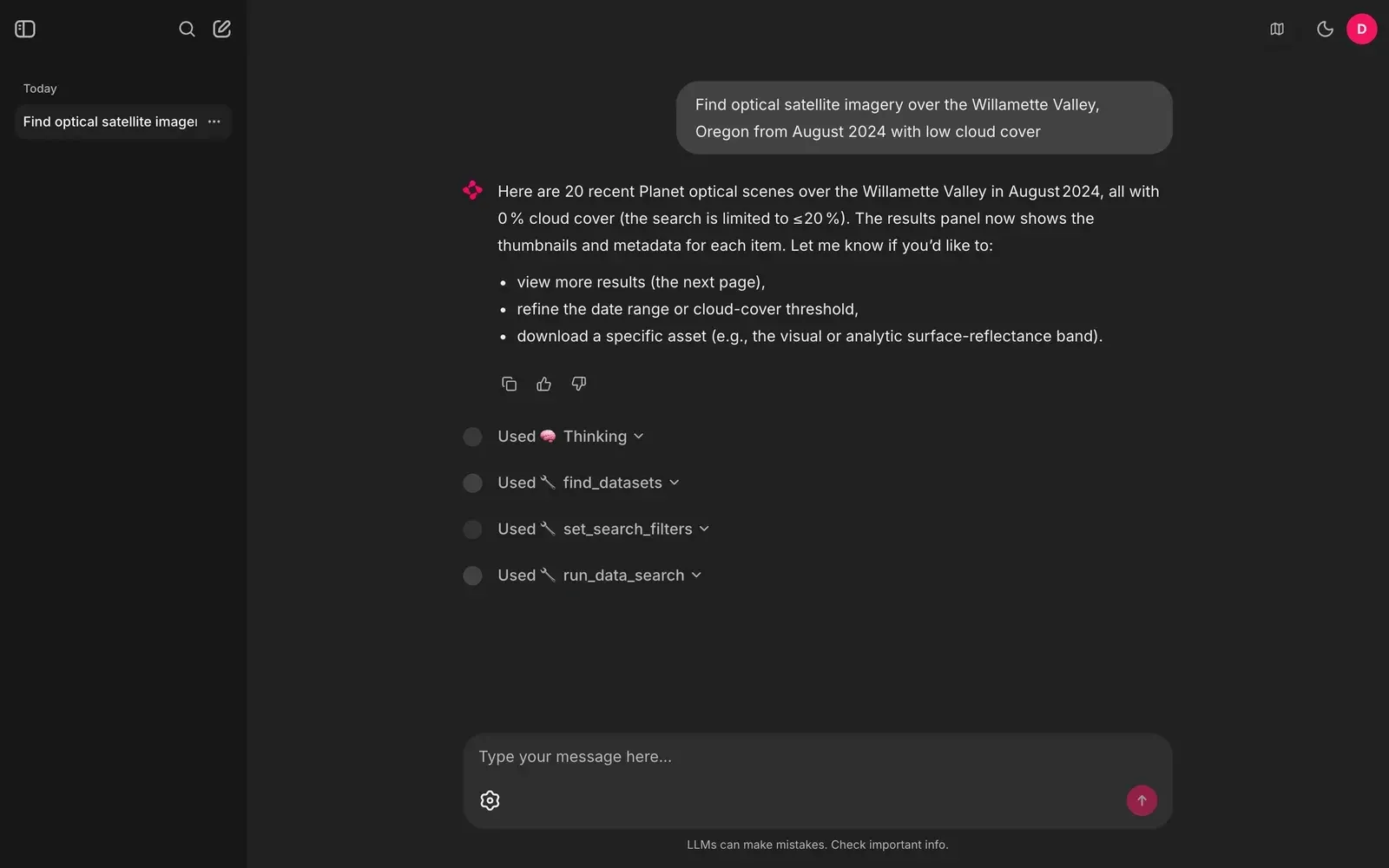
A local run against the public CSDA catalogue: the agent resolves the collection, sets filters and runs the search, and each tool call is shown as a step.
Problem & constraints
NASA’s Commercial Smallsat Data Acquisition (CSDA) program makes commercial Earth-observation imagery available to researchers through a STAC catalogue. To search it, you have to know which vendor collection holds the product you want, and then express the place, dates and cloud limit as filters. Researchers usually start from a sentence instead, like "optical imagery over the Willamette Valley last August, low cloud".
This project is a personal prototype of a chat agent that closes that gap. It works out which collection a vague request means, sets the search filters, runs the search and shows the results on a map, while the user can still change filters by hand.
Researchers who know what they need to see, but not which vendor collection holds it.
- Only public catalogue metadata. Downloads need the user’s own Earthdata login, which is kept in the chat session and never stored.
- The upstream `csda-client` library has no search method, so search has to talk to the STAC API directly.
- One `docker compose up` for the whole stack.
My role
I built everything in the public repository, and I am its only contributor: the agent and its tools, the catalogue graph, the STAC client, the chat UI and map panel, and the Docker setup. It is a personal project, separate from my team’s work on NASA IMPACT, and it uses only public catalogue metadata.
Architecture
A Chainlit chat UI is mounted on a FastAPI app. Each message runs through a LangGraph graph around a Pydantic AI agent, which streams its thinking, tool calls and answer back to the UI as live steps.
flowchart TB
  U["Chat UI (Chainlit on FastAPI)"] --> G["LangGraph graph"]
  G --> A["Pydantic AI agent"]
  A -->|find_datasets| N["Neo4j catalogue graph with vector index"]
  A -->|set_search_filters, run_data_search, paginate_results| ES["Per-thread explore state"]
  ES -->|CQL2-JSON search| STAC["CSDA STAC API"]
  ES <-->|WebSocket| M["Map and results panel"]
  A -->|download_asset| C["csda-client with the user's Earthdata login"]
  A --> PG["Postgres and pgvector: users, threads, agent history"]
A --> L["Ollama: chat model and embeddings"]- find_datasets embeds the request and searches a catalogue graph in Neo4j: vendors, product types, products and their filters, ingested from the CSDA vendors API. It returns real collection slugs, so the model doesn’t have to guess them.
- set_search_filters, run_data_search and paginate_results change one shared, per-thread explore state. Every change is broadcast over a WebSocket to the map and results panel, and the panel can send filter changes back.
- download_asset goes through the
csda-clientEarthdata OAuth flow with the credentials the user types into the session. - Postgres with pgvector stores logins, chat threads and the full agent message history, so a resumed chat continues with its tool results. Logfire traces the agent and its HTTP calls.
- The chat model and the embedding model run through Ollama.
Diagram description
Flowchart: the Chainlit chat UI on FastAPI sends each message to a LangGraph graph, which runs a Pydantic AI agent. The agent’s find_datasets tool searches a Neo4j catalogue graph with a vector index. Its set_search_filters, run_data_search and paginate_results tools update a per-thread explore state, which searches the CSDA STAC API with CQL2-JSON and syncs with a map and results panel over a WebSocket, in both directions. The download_asset tool uses csda-client with the user’s Earthdata login. The agent also uses Postgres with pgvector for users, threads and history, and Ollama for the chat model and embeddings.
Key decisions
Resolve vague requests through a catalogue graph
Users name things ("optical imagery", a vendor’s product line), but the search needs an exact collection slug.
- Ingest the vendor catalogue into Neo4j as a graph (vendors, product types, products, filters) with a vector index, and give the agent a `find_datasets` tool that returns candidate slugs with scores.
- A second datastore and an ingest step to keep current. Filtering by kind happens after the vector lookup (it over-fetches four times the limit), which can still return too few results of one kind.
Alternatives considered (2)
- Let the model pick a slug from the collection list in its prompt — Slugs look alike and change; a guessed slug fails silently with zero results.
- Keyword search over collection titles — Misses requests that describe the data rather than name it.
One explore state for the agent and the map panel
Search results are spatial and long; a chat reply can’t show them well, and users want to tweak filters by hand.
- The agent’s tools don’t return results as text. They change a per-thread explore state (filters, results, paging), which is broadcast to the panel over a WebSocket. The panel sends its own filter and search actions back to the same state.
- State lives in the app process, so it’s per instance. The WebSocket protocol is one more thing to keep compatible.
Alternatives considered (2)
- Return results only in the chat reply — No map, no thumbnails, and the user can’t adjust a filter without another prompt.
- A separate search UI with its own state — The agent and the UI would drift apart, and the agent couldn’t explain what the user sees.
Search the STAC API directly; download through csda-client
`csda-client` handles Earthdata authentication but has no search method.
- A small STAC client builds CQL2-JSON searches with token paging. Downloads go through `csda-client`, using credentials the user enters in the chat session, which are never written to disk or the database.
- Users re-enter credentials after resuming a chat before they can download.
Alternatives considered (1)
- Store Earthdata credentials in the app database — It would hold other people’s credentials for a convenience feature.
Outcomes & evidence
1 request → find_datasets → set_search_filters → run_data_search → 20 results
A plain-English request is turned into a real catalogue search end to end: the agent chose a collection, set filters and returned 20 low-cloud scenes.
One local run on 23 Sep 2026 with `docker compose up` and the public CSDA STAC API. Request: "Find optical satellite imagery over the Willamette Valley, Oregon from August 2024 with low cloud cover". Model gpt-oss:120b-cloud through Ollama. No downloads (no Earthdata login). A single run, not an evaluation.
The catalogue graph covers the whole CSDA vendor catalogue at ingest time: 20 vendors, 7 product types, 84 products and 239 product filters.
Counts returned by the repository’s `neo4j_store.ingest_catalog()` against the public CSDA vendors API on 23 Sep 2026.
Limitations & next steps
- No evaluation set: there is no measured accuracy for dataset resolution or for the filters the agent sets. The outcomes above are one run.
- Tests cover configuration and password hashing only; the agent, tools and STAC client have no automated tests.
- The three performance changes in the repository’s ADR (async STAC client, no exact counts, vector pre-filtering in Neo4j) are proposed, not implemented.
- The map needs a Mapbox token, and the chat model runs on a hosted open-weight model through Ollama.
Next steps
- Build a small labelled set of requests with their expected collections and filters, and track accuracy.
- Implement the ADR’s async STAC client and Neo4j pre-filtering, and measure latency before and after.
- Add tests for the tools and the explore-state protocol.
Related writing
- Building a Scientific Data Discovery Platform with a Team of AI AgentsMoon, Mars and Earth data in one traceable model: what I built, the problems I hit, and how I ran several coding agents without losing track of the work.
Screenshots
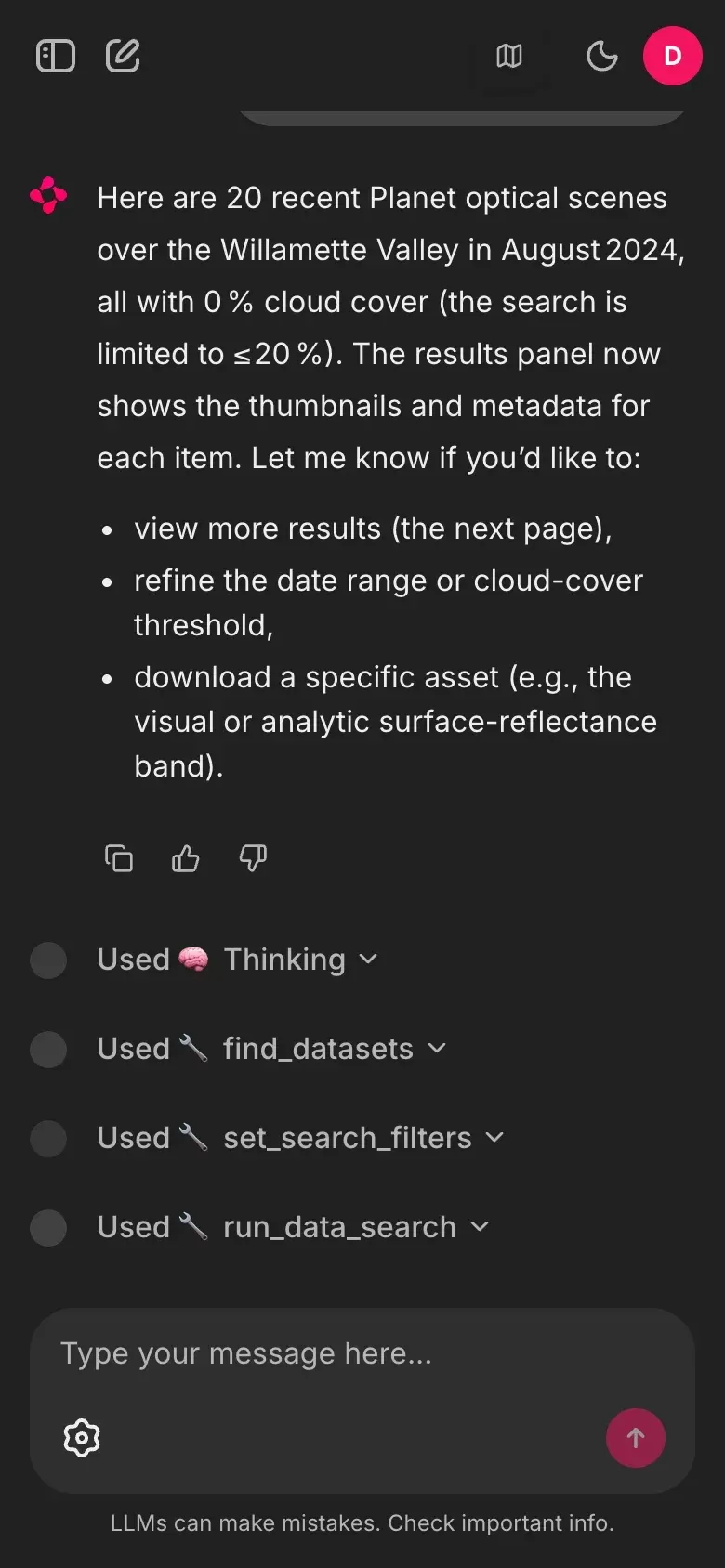
FIG. 02 The same run at 390 px wide.